The best eBay description tells a buyer what the item is, what condition it’s in and what comes with it, in that order, before anything else. It adds what the title, photos and item specifics can’t say, in short sections that are easy to read on a phone. And it follows eBay’s rules: no JavaScript or other active content, and links only to the pages eBay allows. The sections below cover how to write an eBay description part by part, how long to make it, how eBay shows it on phones and how a clear layout is built.
In short
- Lead with the facts: what the item is (brand, model, model number), its condition and flaws, and what’s included.
- Then add what item specifics can’t hold: measurements, compatibility, history and how it’s used.
- Make it as long as the item needs. Most eBay sites allow 500,000 characters, but a phone may show only 800.
- Stick to HTML and CSS. eBay blocks JavaScript, Flash, plug-ins and form actions, and allows links to only a few kinds of pages.
- If you use eBay’s AI description, check every line against the item before you list.
What should an eBay item description include?
Start with what eBay asks for. Its Create great listings guide says to include “the item’s brand name, style, and model numbers, along with any unique qualities.” eBay’s selling practices policy adds two requirements: specify the item’s condition, and describe any defects or flaws.
Some of this already has a place of its own on the listing page. eBay’s developer guide says the description should cover the most essential product details but doesn’t need to repeat every one, because buyers see the rest in the item specifics section. So the description’s job is to carry what no other field holds, and to back up the fields that do.
| Part | What to write | Where eBay also shows it |
|---|---|---|
| What it is | Brand, model, model number, size or version, and one line on what it does | Title and item specifics |
| Condition | Wear, flaws, repairs, and what you tested (and didn’t) | Condition field and condition description; photos of the actual item for used goods |
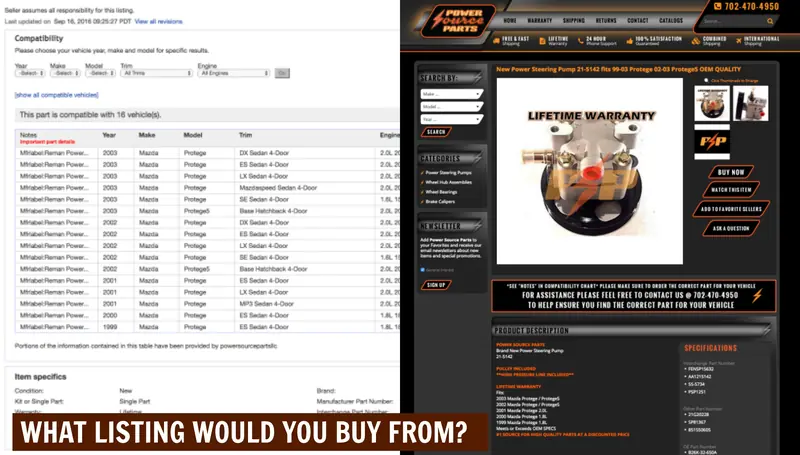
| What’s included | Every part, accessory, cable, manual and box, plus anything missing | Usually only in the description |
| Details | Measurements with units, materials, compatibility, age or history | Item specifics for the standard ones |
| Why it’s worth buying | What it’s good for and who it suits | Usually only in the description |
| Shipping, returns, payment | A short recap at most (see step 6 below) | Your listing’s shipping, return and payment settings |
The two rows marked “usually only in the description” are the parts other fields rarely cover. Often nothing else on the page tells a buyer that the charger is missing or that the jacket runs small.
The order that works, section by section
Order the description the way a buyer thinks: is this the right item, what shape is it in, what do I get, and will it work for me? On phones, eBay may show a shortened version that isn’t always the opening lines, so keep the essentials short (more on that below).
- Summary. Two or three lines: what the item is, its condition in a few words and the main reason to buy it.
- Condition and flaws. Say each flaw plainly and point to the photo that shows it. When you sell a used, refurbished or flawed item, eBay requires photos of the actual item, not a stock photo.
- What’s in the box. List every piece, then say what isn’t included.
- Details and specifications. Measurements, materials, part numbers and compatibility, as a short list or table. If the item is for or compatible with another item, eBay’s search policy says “fits”, “for” or “compatible with” goes before that item’s name. But those words aren’t allowed before brand names of jewelry, clothing and accessories, or before universally compatible items.
- How it’s used. Who it suits, what it’s good for and any care notes.
- Policies and contact. Keep this short and make sure it matches your listing’s shipping, return and payment settings. eBay’s mobile guide goes further and advises leaving those details out of the description, since a shortened description on a phone can show them incomplete.
Writing the words, with examples
Write for the buyer you expect. A collector wants history and markings; a mechanic wants part numbers. Show what the item does for them, write the way you’d describe it across a counter and use concrete words (heavy, matte, soft, stiff) instead of “amazing”.
| Weak line | Better line |
|---|---|
| Great condition, works perfectly! | Used. Light scratches on the base (photo 4). Powers on and charges; Bluetooth not tested. |
| Comes with everything. | Includes the charger, a USB-C cable and the original box. The manual is not included. |
| Fits most models. | Fits the models in the compatibility chart. The part number on the label matches photo 6. |
| Vintage, like [another brand] | Leave other brands out. eBay doesn’t allow keywords that aren’t directly related to the item. |
How long should an eBay description be?
As long as it takes to answer a buyer’s questions, and no longer. As of October 2026, most eBay marketplaces allow 500,000 characters in a description, and every HTML tag counts toward that limit. On a phone, eBay’s developer guide puts the limit at 800 characters.
In practice, length follows the item:
- New, boxed, common items with complete item specifics can need only a short summary and a “what’s included” list.
- Used items need more, because condition is the main question.
- Parts, collectibles and anything technical need the most: part numbers, compatibility, markings, history and measurements.
To test it, read the listing as the buyer. If you would message the seller to ask something, the answer belongs in the description.
How eBay shows your description on a phone
A phone shows less than a desktop does, and eBay chooses which 800 characters it shows. So either keep the whole description under 800 characters, or mark your own phone summary with eBay’s snippet tags.
eBay’s developer guide on mobile device optimization sets the rules:
- A description on a mobile device can’t exceed 800 characters. If yours is longer, it may be cut off, and the 800 characters eBay shows “are not necessarily the first 800 characters.”
- If the whole description is under 800 characters, it should display fine on phones.
- For a longer one, you can mark the mobile summary yourself with special div and span tags. Text inside them must not exceed 800 characters; anything past that is ignored.
- As of October 2026, these mobile snippets work only on the US, UK, Australia, France, Germany, Italy, Spain and eBay Motors sites.
- Inside the snippet, only lists, line breaks and non-breaking spaces are allowed. Each line break counts as 50 characters and each list item as three.
eBay’s listing tool help recommends one typeface in black, 14 pt. For phones, eBay’s mobile guide suggests “a base font size of 16 pixels” and nothing smaller than 12 px. It also recommends uploading photos with eBay’s photo uploader instead of placing images in the description. As of October 2026, you can add up to 24 photos, at least 500 pixels on the longest side, and eBay suggests about 1600 x 1600. Keep any HTML on relative widths, as eBay’s formatting guide asks, so nothing scrolls sideways. A responsive eBay listing template does this resizing for you.
What eBay allows in a description, and what it blocks
Some of these rules are checked the moment you list. Under its JavaScript policy, active content “such as JavaScript, Flash, plug-ins, and form actions” is no longer displayed. If you include it in a new listing, you’ll get an error, and you can’t list the item until it’s removed.
Links are limited too. eBay’s links policy says listings can’t point buyers to other sites, “even if the link is not clickable”, with a few exceptions.
| Allowed | Not allowed |
|---|---|
| Static HTML and CSS formatting | JavaScript, Flash, plug-ins and form actions |
| Links to other eBay pages: your other items, your Store, eBay Messages, Follow Seller or Add to my Favorite Sellers | Links that take buyers off eBay to buy, or that collect personal or payment details |
| Links to product videos, eBay-approved freight shipping services and legally required information, all over HTTPS | Links to unsecured (HTTP) sites |
| Keywords that describe the item for sale | Keywords not directly related to the item, or keywords with question marks |
Our own listing designs follow the same rules. They’re written in HTML and CSS without JavaScript.
A sample eBay description for a used item
Here is most of the order above in about 100 words, for an example item. Every line is something a buyer would otherwise ask.
Summary: Used portable Bluetooth speaker in blue, model number on the base label (photo 5). Works well, with light wear.
Condition: Small scuff on the end cap (photo 3). Charges, pairs and plays at full volume. Battery life not timed.
What’s included: Speaker and USB-C charging cable. The original box and wall adapter are not included.
Details: 7 inches long and 2.9 inches wide (measured). Water resistance as listed in the item specifics.
Shipping and returns: As shown in this listing’s shipping and return settings.
How the best eBay descriptions are laid out
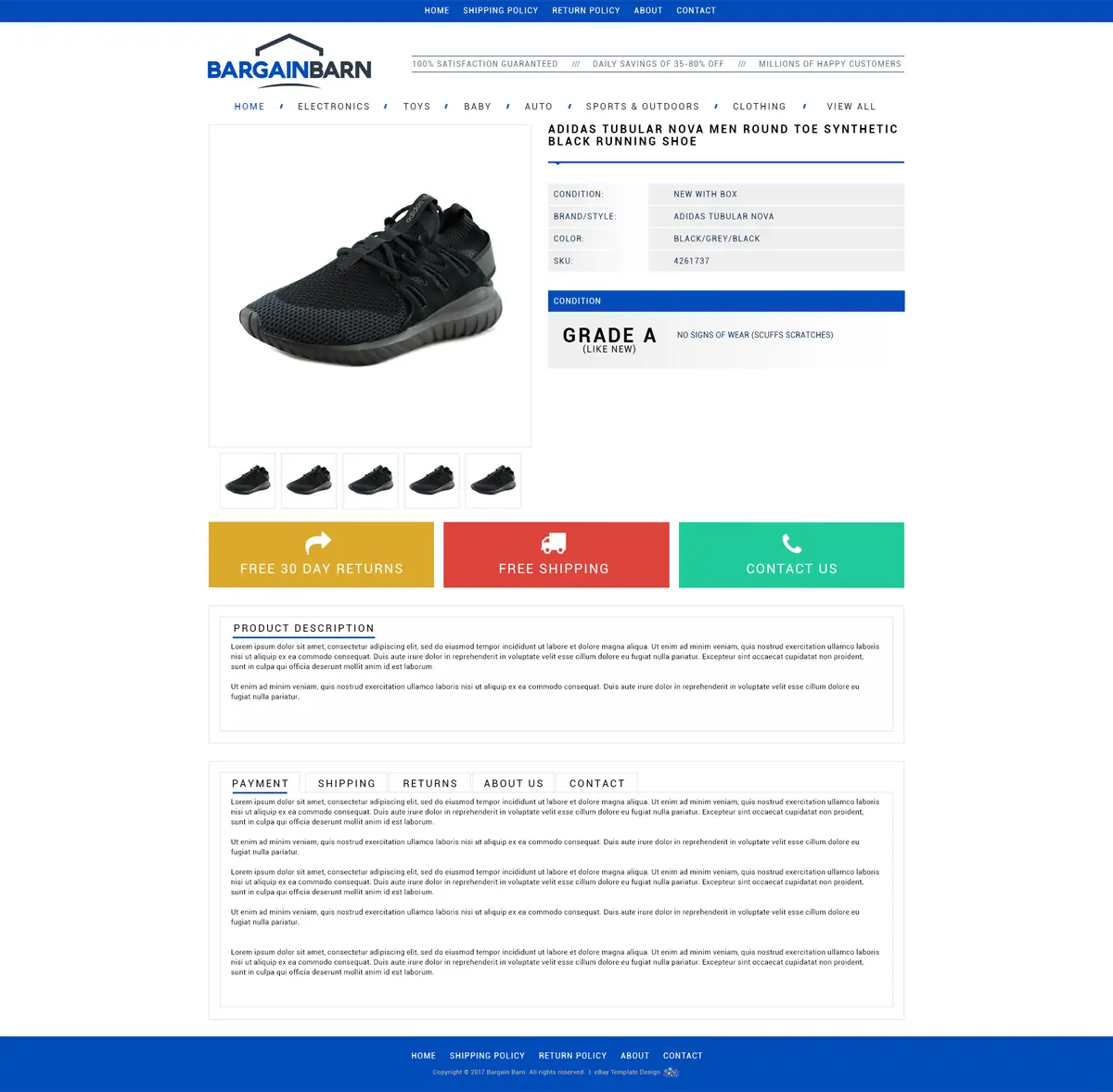
A clear layout puts the same sections in the same place on every listing, so buyers know where to look. The order above carries over: title and photos first, then the main facts, the description, and the policies at the bottom. In a responsive layout like ours, these sections stack on a phone instead of sitting side by side.
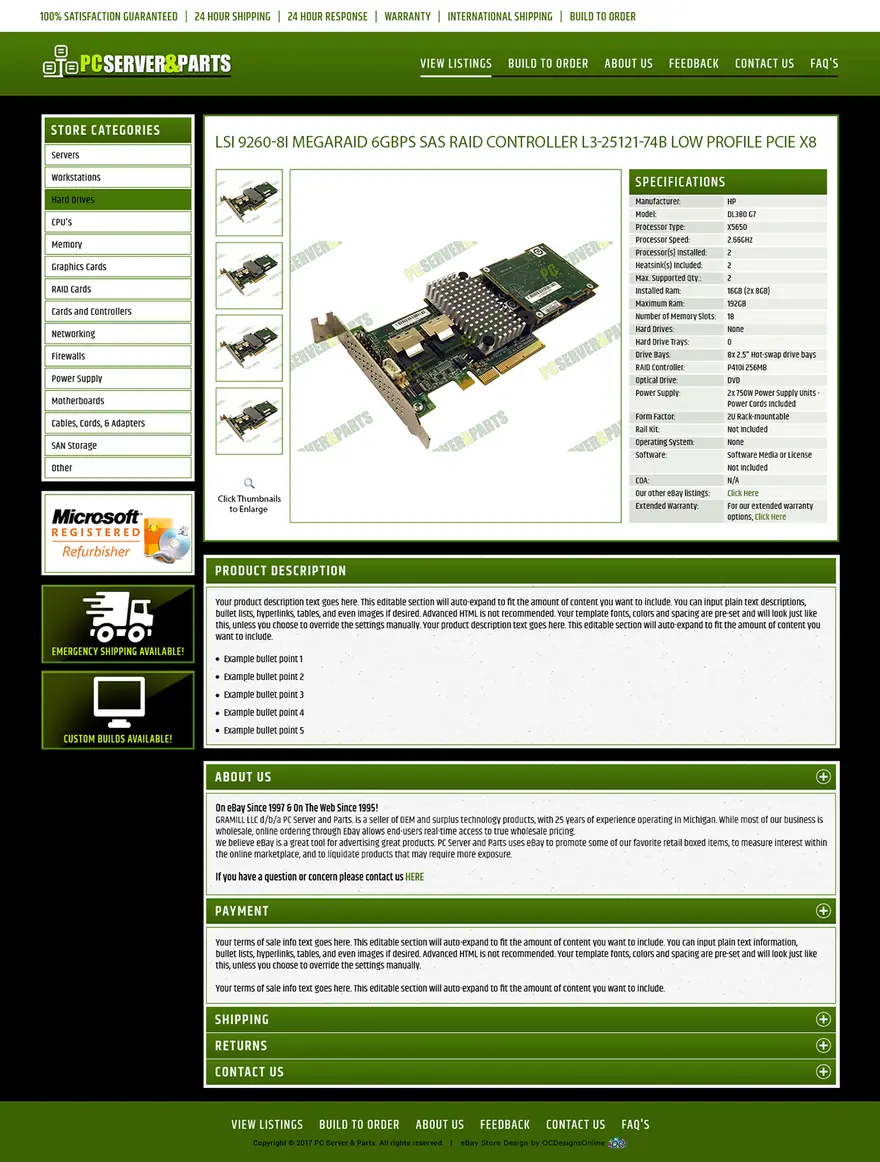
The design above keeps technical details in a table right next to the photos. The one below puts a short description beside a long specifications table, with payment, shipping, returns, warranty and contact sections underneath.
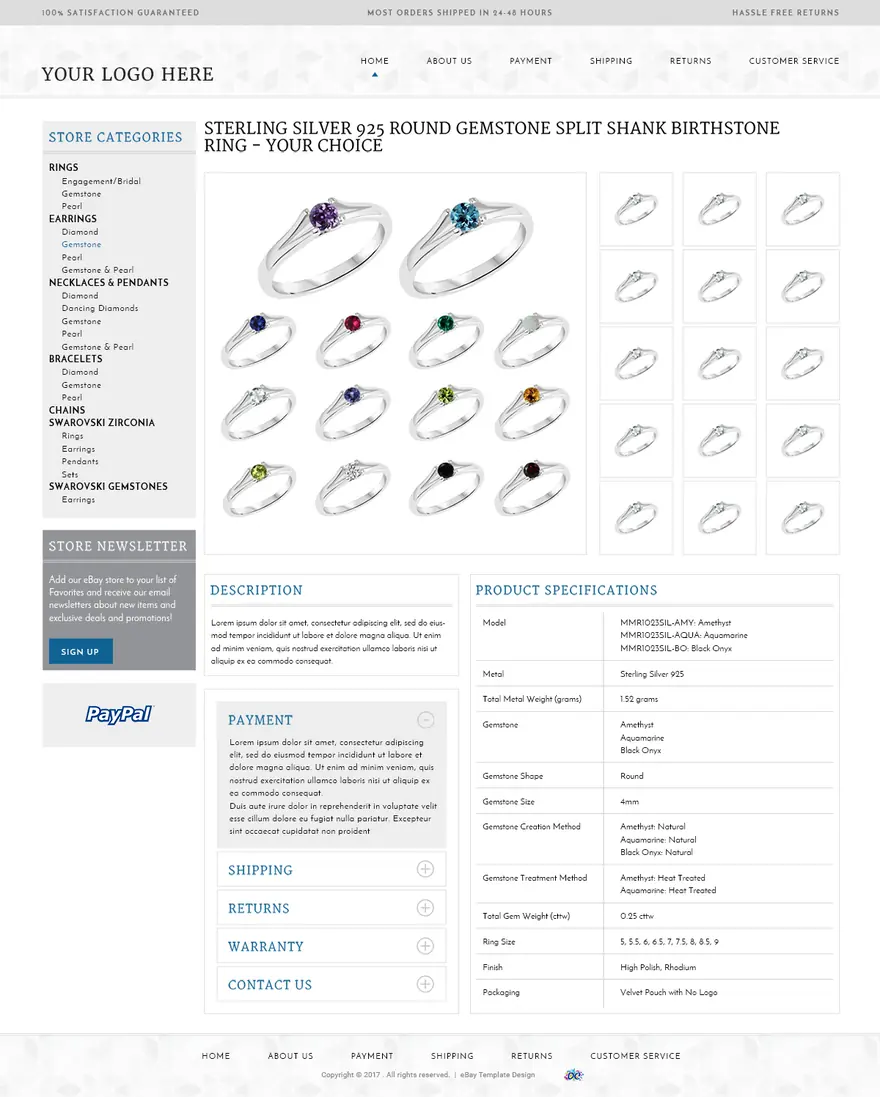
Policy sections like these should repeat only what your listing’s shipping, return and payment settings already say, and stay short, as step 6 above explains.
A layout helps the buyer who has already clicked, but it doesn’t directly lift a listing in search. To build a layout yourself, start with how to make an eBay template and our eBay listing template checklist. If you’d rather have one made, we design custom eBay listing templates in our $999 store + listing template package, and our premade eBay templates are $399 each.
Using eBay’s AI description option
eBay can draft the text for you. When you create a listing, select “Use AI description” and eBay writes a suggested description. eBay says you can use it as is, edit it, or use it as a starting point. Its Seller Center suggests customizing it “to add more detail, adjust for accuracy” or fit your own voice.
Treat the draft as a first pass. Only you know about the scratch on the lid or the missing cable, and eBay’s policy still requires you to describe every flaw. Check each line against the item and the photos, then add the condition and “what’s included” parts in your own words.
Frequently asked questions
Can I use the same description for every listing?
You can reuse the structure, the section order and the policy text. The facts must change with each item. eBay’s search policy says all the words in a listing need to be accurate and refer only to the item for sale. Its selling practices policy also requires each item’s condition and flaws to be described.
How do I add pictures to an eBay description?
Use eBay’s photo uploader for item photos; as of October 2026 it takes up to 24. Any image you place in the description’s HTML has to load from a secure HTTPS address, which is why template graphics need secure hosting.
Does the description affect eBay search?
eBay lists “the quality of your listing (description, photos, and so on)” among the factors in its Best Match ranking. The others include how closely the listing matches the search, the price, how complete the listing is, your return policy and handling time, and your record as a seller. Describe the item clearly and accurately, and leave out keywords that don’t belong to it. Our guide to eBay SEO covers the other factors.